
Logo

What are you looking for?

Get help straight from our team...

How do I set up my notifications and follow members? (23)

NAVIGATION AND TECHNOLOGY

How do I set up my notifications and follow members? (23)

Last updated on 19 Jun, 2023

Image

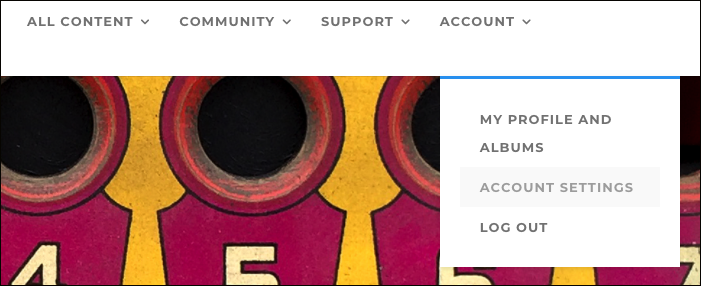
You can choose how you would like to be notified of new content by clicking on ACCOUNT from the main menu, and selecting ACCOUNT SETTINGS from the drop-down menu.
Image

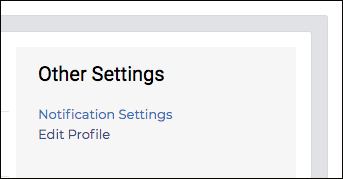
On the right, under “Other Settings” click on NOTIFICATION SETTINGS. Here you can choose how you’d like to receive notifications. Click SAVE when done to save your preferences.

Did you find this article helpful?
Previous

Where can I find instructional content from the Academy...Master Classes, Inspiration, etc? (25)

Next